
Dispute credit report errors yourself, one clear step at a time.
Enter what's on your credit report and flag what's wrong. DisputeValet.com fills in FCRA-aligned dispute letters for Experian, Equifax and TransUnion. You print them, mail them and track every reply in one place.
Advanced Edition free trial. Card required · cancel anytime before it ends · then $34.99/month.
Individual results vary.
YOUR RIGHTS
The law already gives you the right to dispute.
The Fair Credit Reporting Act lets you challenge anything on your credit report that is inaccurate or incomplete. The Federal Trade Commission puts it plainly: "Anything a credit repair company can do legally, you can do for yourself." DisputeValet.com gives you the letters and the organization to do it well.
You can dispute it.
If something on your report is wrong or incomplete, you can dispute it directly with the credit bureau. (FCRA Section 611)
The bureau must investigate.
It has to look into your dispute, pass it to the company that reported the item, and send you the results in writing.
The reporting company must check too.
Banks, lenders and collectors that report to the bureaus must investigate disputes and correct what they got wrong. (FCRA Section 623)
What the law requires when a dispute is upheld
- Information that can't be verified is deleted
- Inaccurate details are corrected
- Outdated or incomplete entries are updated
Educational information, not legal advice. Individual results vary.
How it works
Three steps, and the software keeps track of where you are in each one.
Enter your credit report.
Get your free reports from annualcreditreport.com. Enter the accounts, inquiries and public records, then flag the items you believe are wrong.
Create your letters.
Choose a template for your situation. The Smart Dispute Engine fills in your details, the disputed item and the bureau's mailing address. Read it over, change anything you like, and print it.
Mail them and track the replies.
Send each letter by certified mail. Bureaus generally have 30 days to investigate, and up to 45 in some cases. Log each reply, and send a follow-up letter for anything still in dispute.
New to disputes? Practice on sample data in training mode first. The step-by-step guide and 13 video tutorials walk you through every screen.
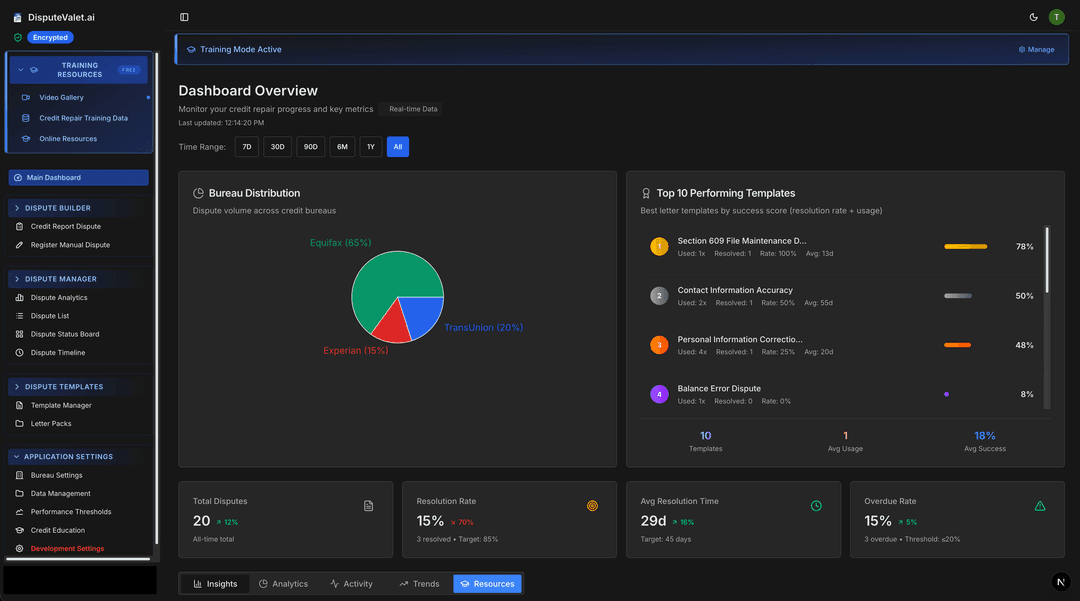
TRACK
See where every dispute stands.
Drafted, sent, waiting on a reply or resolved. Switch between list, board and timeline views, and see each bureau's response deadline at a glance.
Dispute List
View and manage all credit-dispute activity
Active
12
Overdue
5
Urgent
3
Resolved
1
Sample data shown. Your actual dispute pipeline is encrypted in your browser, and we never receive your credit-report data.
A letter for the situation you're in.
Templates are grouped into 6categories, and each one cites the section of the Fair Credit Reporting Act it relies on, so you know why you're sending it. Standard Edition includes 20 templates covering Sections 609, 611 and 605B identity theft, with Section 623 cited inside them. Advanced Edition has all 81, adding Metro 2, dedicated Section 623 letters and more for bankruptcy and special situations.
Basic disputes
Wrong balances, late payments, duplicate accounts and personal details.
Section 609: see the proof
Ask the bureau what it has on file and how it was verified.
Section 611: investigation
Start a reinvestigation, and follow up when one falls short or an item comes back.
Identity theft (Section 605B)
Block accounts and inquiries that came from identity theft.
Complex disputes
Bankruptcy updates, old debts, transferred accounts and mismatches between bureaus.
Goodwill and special situations
Goodwill requests, medical debt, student loans and military protections.
Educational information only. Not legal advice. Consult an attorney for legal matters.
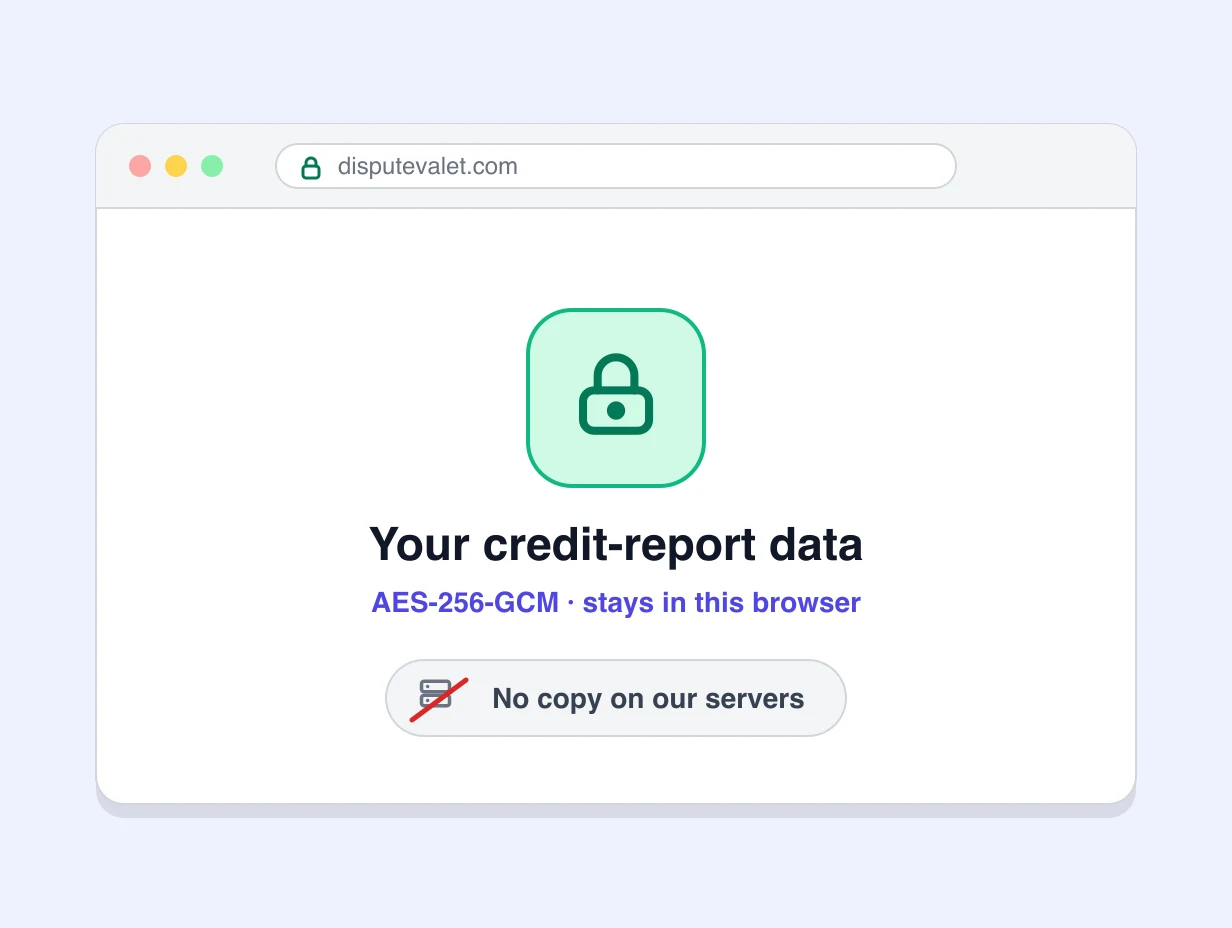
Your credit-report data stays in your browser.
Your browser encrypts your credit-report data with AES-256-GCM before saving it. We never receive your credit-report data, so we cannot read it. Our service sets up and manages this encryption when you sign in.
- No server copy.
- There is no copy of your credit-report data on our servers.
- One browser, with a backup.
- Your account uses one browser. To move to another computer, save a backup and restore it there.
- What we do hold.
- Your account, billing and basic usage details, handled by our service providers.
Who it's for
Illustrative examples. Individual results vary.
Getting ready to buy a home
Checking all three reports before a mortgage application and disputing errors with Section 611 letters.
Applying for a car loan
Challenging an auto loan that's reported with the wrong balance or payment history.
Dealing with identity theft
Using the identity theft letters to block accounts that aren't theirs.
Helping family
The person everyone asks for help. With Family Edition, each relative gets a private login of their own.
Illustrative examples only. DisputeValet.com is self-help software you operate yourself. We are not a credit repair organization and do not provide credit repair services. Outcomes are not guaranteed.
Getting started with DisputeValet.com
Quick answers before you begin.
What do I need to get started?
Your credit reports from Equifax, Experian and TransUnion (free at annualcreditreport.com), a desktop or laptop computer with a modern browser, and a subscription. There's nothing to install.
How do I send my letters?
Print them and mail them, ideally by certified mail with a return receipt so you have proof of delivery. Each letter already has the bureau's mailing address.
What if a bureau says the information is verified?
You can ask how it was verified, dispute again with new details, or write to the company that reported it. There are follow-up letters for each of these. You can also file a complaint with the Consumer Financial Protection Bureau.
Will DisputeValet.com send disputes for me?
No. DisputeValet.com is self-help software. You decide what to dispute, and you send every letter yourself.
Can I use it on another computer?
Your credit-report data lives in the one browser you use. To move to a new computer, make a backup in Settings → Data Management and restore it there.
Choose your plan
The core dispute letters, training mode and video tutorials.
$24.99/month
Every template, plus letter packs. Includes a 7-day free trial.
$34.99/month
Advanced Edition for you and up to 4 relatives, each with a private login.
$59.99/month
Pay yearly for Standard Edition or Advanced Edition and save 20%.
Card required · cancel anytime before it ends · then $34.99/month.